Cart (0)
No products in the cart.


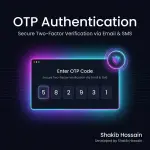
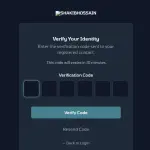
Adds OTP-based two-factor authentication (2FA) to Botble CMS. Supports email delivery via the built-in Botble email system and SMS delivery via the SH SMS Notifier plugin. Works for admin/staff users, customers (ecommerce), and vendors.
Adds OTP-based two-factor authentication (2FA) to Botble CMS. Supports email delivery via the built-in Botble email system and SMS delivery via the SH SMS Notifier plugin. Works for admin/staff users, customers (ecommerce), and vendors.
EmailHandler with a fully editable template.SmsHandler::sendUsingTemplate()); SMS toggle auto-disables when SSN is not installed.otp_logs table).otp-auth folder into platform/plugins/.php artisan migrate --path=platform/plugins/otp-auth/database/migrationsphp artisan vendor:publish --tag=otp-auth-assetsNavigate to Admin → Settings → Others → OTP Authentication.
| Setting | Default | Description |
|---|---|---|
| Enable OTP Authentication | Off | Master switch |
| Enable Email OTP | On | Send code via email |
| Enable SMS OTP | Off | Send code via SMS (requires SH SMS Notifier) |
| OTP Length | 6 | Digits in the code (4–8) |
| OTP Expiry | 10 min | How long a code stays valid |
| Resend Cooldown | 60 s | Minimum gap between resend requests |
| Max Attempts | 5 | Failed attempts before OTP is invalidated |
| Enable for Admins & Staff | On | Require OTP on admin login |
| Enable for Customers | Off | Require OTP on customer login |
| Enable for Vendors | Off | Require OTP on vendor login |
The OTP email is managed through Admin → Settings → Email → OTP Authentication.
Available template variables:
| Variable | Description |
|---|---|
{{ user_name }} | Recipient's display name |
{{ otp_code }} | The one-time verification code |
{{ expiry_minutes }} | Minutes until the code expires |
{{ site_title }} | Site name |
The OTP SMS template is managed through SH SMS Notifier → Templates → otp_code.
Available variables:
| Variable | Description |
|---|---|
{{code}} | The one-time verification code |
{{expiry}} | Minutes until the code expires |
Default template: Your verification code: {{code}}. Valid for {{expiry}} minutes. Do not share this code.
If the SH SMS Notifier plugin is not installed, the SMS OTP toggle is hidden and a notice is shown in settings.
Each admin user can override the global role setting from their profile page:
Per-user preferences are stored in the otp_user_preferences table (polymorphic, supports both admin users and customers).
| Table | Purpose |
|---|---|
otp_codes | Active and used OTP codes (SHA-256 hashed) |
otp_logs | Audit log of all OTP actions (sent, verified, failed, expired, blocked) |
otp_user_preferences | Per-user OTP enable/disable overrides |
email, sms, or both).email.both.Deactivate the plugin from Admin → Plugins → OTP Authentication → Deactivate. All settings, OTP codes, logs, and user preferences are removed automatically.
EmailHandler integration (editable email template in admin).SmsHandler integration (editable SMS template in SSN).
| Product Name | OTP Authentication |
| Version | 2.0.1 |
| File Type | zip |
| Last Updated | 25/05/2026 |
| Compatible Browsers | Google Chrome, Mozilla Firefox, Microsoft Edge, Safari, Opera |
| Framework | Laravel |
| Programming Language | PHP |
| Required Software | PHP, Node.js |
| PHP Version | 8.1+ |
| Framework | Laravel 10+ |
| Database | MySQL 8+ |
| Server Type | Apache / Nginx |
| SSL Certificate | |
| Cron Job Required | |
| File Permissions | 755 / 777 |
| Minimum Browser Version | Chrome 90+ |
| JavaScript Enabled |
Your email address will not be published. Required fields are marked *
Please login to write review!
Looks like there are no reviews yet.
Hi there! How can we help you today?
Cookie preferences