
Cart (0)
No products in the cart.
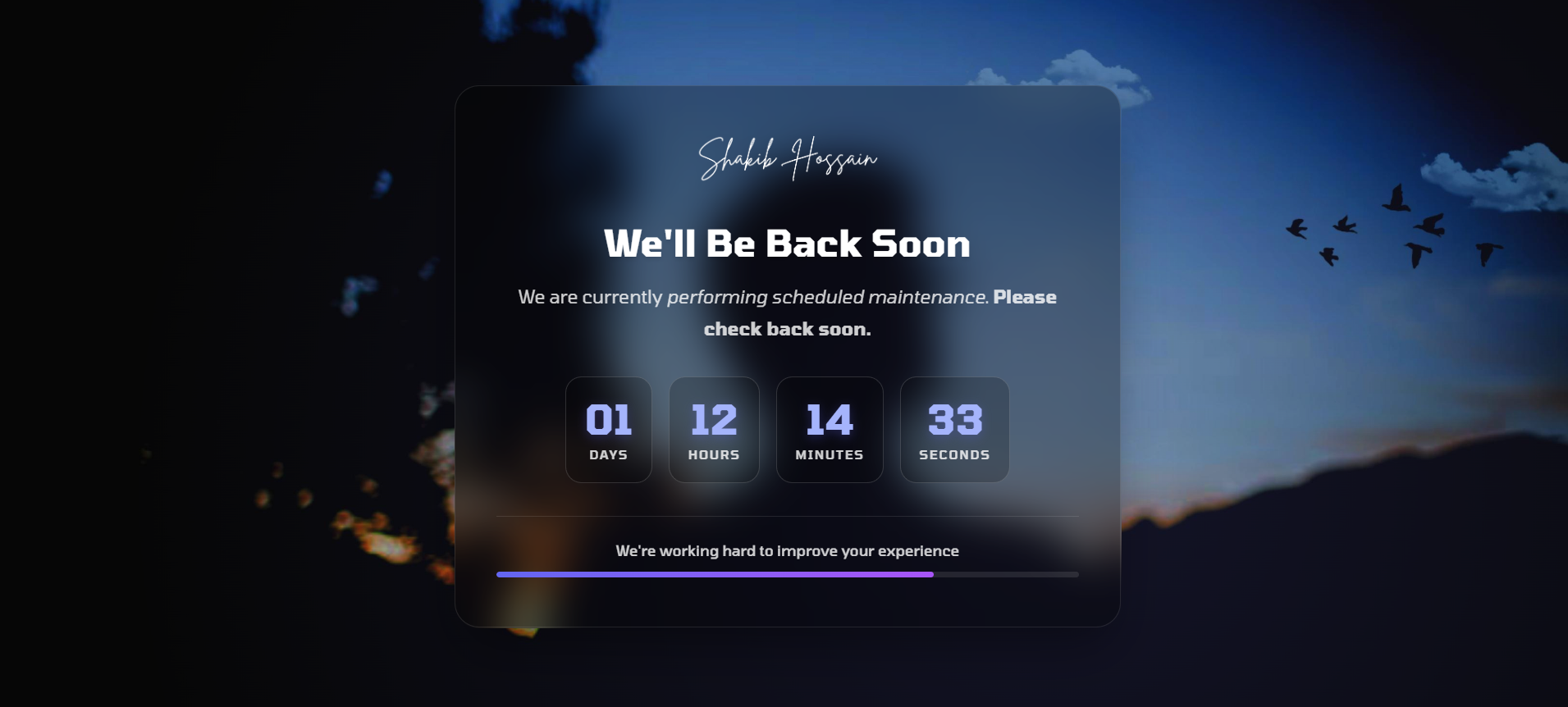
A modern maintenance mode plugin for Botble CMS with a live countdown timer, customizable backgrounds, and an auto-disable feature.
A modern maintenance mode plugin for Botble CMS with a live countdown timer, customizable backgrounds, and auto-disable functionality.
maintenance-mode-plus folder into your Botble plugins directory| Setting | Description |
|---|---|
| Enable Maintenance Mode | Toggle maintenance mode on or off |
| Page Title | The main heading displayed on the maintenance page |
| Page Description | Message displayed to visitors (HTML allowed) |
| Maintenance End Date | The expected time when maintenance will end |
| Show Countdown Timer | Display a live countdown to the end date |
| Auto Disable When Time Ends | Automatically disable maintenance when countdown reaches zero |
| Background Type | Choose between solid color, gradient, or image |
| Logo | Custom logo for the maintenance page |
The following routes remain accessible during maintenance:
/admin/* — Admin panel routes/login — Login page/logout — Logout endpoint/storage/* — Media storageMaintenance Mode Plus provides a clean and professional way to temporarily restrict public access to your website while still allowing administrators to manage the system. Unlike simple maintenance pages, this plugin includes a real-time countdown timer, automatic disabling, and flexible background customization so your maintenance page can match your brand identity.
The plugin is lightweight, easy to configure, and fully integrated into the Botble CMS settings panel. You can enable maintenance mode in seconds without editing code or modifying your theme.
The maintenance page is fully responsive and optimized for desktop, tablet, and mobile devices. You can easily customize the appearance using multiple background options and your own logo.
The plugin returns the proper HTTP 503 Service Unavailable status code during maintenance mode. This informs search engines that the downtime is temporary and prevents SEO penalties that might occur if a normal page response is returned.
Even when maintenance mode is enabled, administrators can continue working normally. The plugin automatically allows access to the admin dashboard and login routes so you can manage content, update settings, and monitor your website while maintenance is active.
Maintenance Mode Plus is designed to be lightweight and efficient. It does not add unnecessary database queries or heavy scripts, ensuring that your website's performance remains stable even when the plugin is active.
If you encounter any issues or need assistance with installation or configuration, feel free to contact support. We are happy to help you get the most out of Maintenance Mode Plus.
| Product Name | Maintenance Mode Plus |
| Version | 1.0.8 |
| File Type | zip |
| Last Updated | 13/04/2026 |
| Compatible Browsers | Google Chrome, Mozilla Firefox, Microsoft Edge, Safari, Opera |
| Framework | Laravel |
| Programming Language | PHP |
| Docs URL | https://shnexa.com/docs/maintenance-mode-plus |
| Required Software | Botble |
| PHP Version | 8.1+ |
| Framework | Laravel 10+ |
| Database | MySQL 8+ |
| Server Type | Apache / Nginx |
| SSL Certificate | |
| Cron Job Required | |
| File Permissions | 755 / 777 |
| JavaScript Enabled |
Your email address will not be published. Required fields are marked *
Please login to write review!
Looks like there are no reviews yet.


Hi there! How can we help you today?
Cookie preferences