0 Your Cart $0.00

Cart (0)

No products in the cart.

SH SMS Notifier

$48.00   $48.00
(Excluding VAT 14.5%)

The Smart SMS Notifier plugin automatically sends SMS notifications for all email-triggered events in Botble CMS. It provides a robust gateway system, country-based routing, and a dynamic template engine.
 

In stock

Need Update?


Need Support?

SKU: SH-88956-ZYQQ1
Categories: Plugins, Botble Plugins
Instant Delivery
Instant Delivery
For all digital products
24/7 Dedicated Support
Anywhere & anytime
Secure Payment
Secure Payment
Guarantee secure payments

The Smart SMS Notifier plugin automatically sends SMS notifications for all email-triggered events in Botble CMS. It provides a robust gateway system, country-based routing, and a dynamic template engine.

Features

  • Automatic Email-to-SMS: Automatically detect when an email is sent using Botble's EmailHandler and send a corresponding SMS.
  • Multi-Gateway Support: Built-in support for Twilio, Nexmo (Vonage), Fast2SMS, and a flexible Custom API gateway.
  • Country-based Routing: Route SMS through different gateways based on the recipient's phone number prefix (e.g., +880, +91).
  • Dynamic Templates: Edit SMS templates directly from the admin panel with support for variables like {{customer_name}}, {{order_id}}, etc.
  • SMS Logs: Track every SMS sent, including status and gateway responses.
  • Queue Support: Offload SMS sending to Laravel queues for better performance.

How to Use

1. Initial Setup
  1. Navigate to Smart SMS Notifier > Settings.
  2. Enable the plugin using the Enable Smart SMS Notifier toggle.
  3. (Optional) Enable Use Queue.
  4. Set your Default Gateway.
2. Configuring Gateways
  1. Click Edit on your preferred gateway.
  2. Enter API credentials.
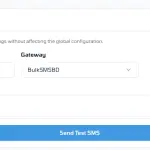
  3. Use Test SMS.
3. Custom Gateway Integration

If your provider is not built-in, you can add it dynamically:

  1. Go to Custom Gateways List.
  2. Add gateway names.
  3. Configure using {phone} and {message}.
4. SMS Templates
  1. Go to SMS Templates.
  2. Customize messages.
  3. Use variables.
  4. Enable/disable templates.
5. Country-based Routing
  1. Go to Country Routing.
  2. Add routing rules.
  3. Example: +880 → local gateway.
6. Monitoring Logs
  1. Visit SMS Logs.
  2. View details using Eye Icon.

Developer Integration (v3.0.x)

Smart SMS Notifier is designed for easy integration.

1. Create a Template

Add a .stpl file:
platform/plugins/your-plugin/resources/sms-templates/ticket_created.stpl

Hi {{customer_name}}, your ticket #{{ticket_id}} has been created.
2. Dispatch SMS from Code
use Platform\Plugins\SmartSmsNotifier\Facades\SmsHandler;
SmsHandler::setModule('your-plugin')
    ->setVariableValues([
        'customer_name' => $user->name,
        'ticket_id' => $ticket->id,
    ])
    ->sendUsingTemplate('ticket_created', $phone);

Gateway Development Guide

Follow these steps to add a new SMS provider.

1. Create the Gateway Class
class YourProviderGateway implements SmsGatewayInterface
{
    public function send(string $phone, string $message): array
    {
        try {
            $response = Http::post('https://api.yourprovider.com/send', [
                'to' => $phone,
                'msg' => $message,
            ]);

            return [
                'success' => $response->successful(),
                'message' => $response->successful() ? 'Sent' : 'Failed',
                'response' => $response.json(),
            ];
        } catch (\Exception $e) {
            return ['success' => false];
        }
    }
}
2. Register in SmsService
'yourprovider' => new YourProviderGateway()

Built with ❤️ for Botble CMS.

Product Name SH SMS Notifier
Version 2.0.8
File Type zip
Last Updated 13/04/2026
Compatible Browsers Google Chrome, Mozilla Firefox, Microsoft Edge, Safari, Opera

Customer reviews

5.00

(1 Review)

5 Stars
100%
4 Stars
0%
3 Stars
0%
2 Stars
0%
1 Star
0%

Add your review

Your email address will not be published. Required fields are marked *

Please login to write review!

1 review(s) for "SH SMS Notifier"

Smart SMS Notifier automatically converts email-based events into SMS notifications inside Botble CMS, so users instantly receive important updates like orders, alerts, or tickets directly on their phone.

The plugin hooks into Botble’s EmailHandler system. Whenever an email is triggered, it captures that event and sends a corresponding SMS using the configured template.

It supports multiple gateways including Twilio, Vonage (Nexmo), Fast2SMS, and also allows full custom API integration for any provider.

Yes, you can fully customize SMS templates from the admin panel. It supports dynamic variables like {{customer_name}}, {{order_id}}, and more to create personalized messages.

Yes, the plugin includes country-based routing. You can define rules like +880 or +91 to send messages through different gateways depending on the recipient’s location.

Yes, it supports Laravel queue. This allows SMS sending to run in the background, improving performance and preventing delays during high traffic.

Absolutely. Developers can create custom templates, trigger SMS programmatically, and even build their own gateway providers using the plugin’s flexible architecture.

Related products

Live Chat Online

Hi there! How can we help you today?

Glad you’re here.